Read something you like. Save a few useful words. Recall them before you reveal the answer.
Before you start
- Install the ThomLingo Chrome extension.
- Choose your source and target languages. Sign in when you want to save and sync words.
Screenshots may use English or Vietnamese interface labels. Follow the numbered arrows and the instructions below.
1. Stay in the article: hover or highlight
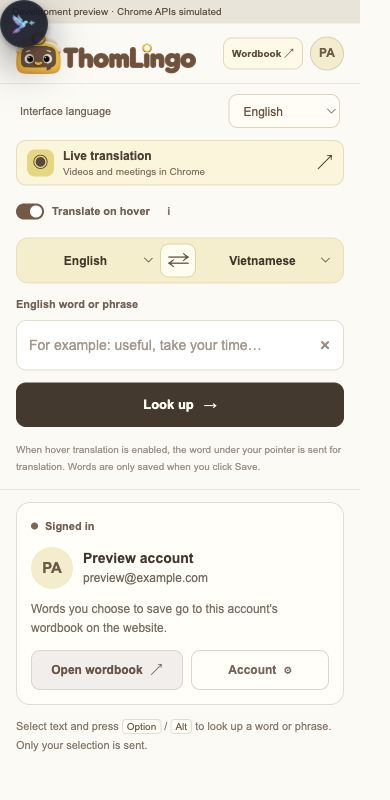
Open ThomLingo and choose your language pair. Turn on “Translate on hover” if you want a quick meaning under your pointer. Prefer more control? Leave it off and select just the word or phrase you need.
After selecting text, press and release Option on Mac or Alt on Windows, or click the Tomi icon that appears. Browser settings and the Chrome Web Store restrict extensions, so try a normal article with selectable text.
Enlarge the annotated screenshot
On a small screen, swipe the image sideways to see every detail.
Extension interface preview with a sample account. The two arrows show the hover switch and language pair.
- Turn hover translation on or off.
- Choose the language you read and the translation you want.
2. Hear it, understand it, then choose what to keep
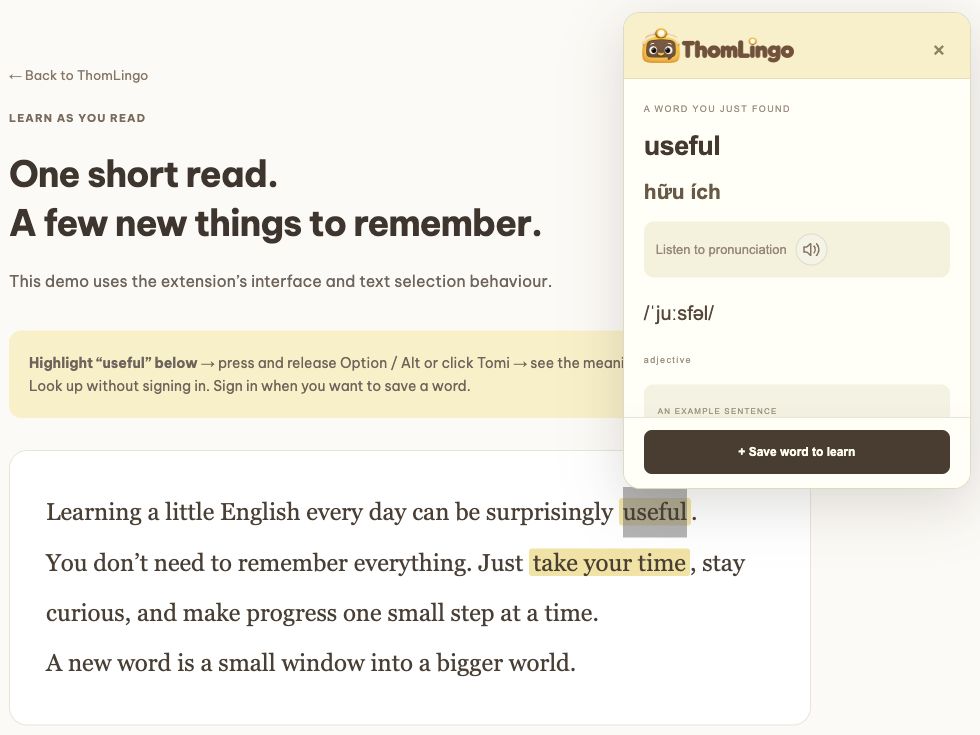
Read the meaning and listen to pronunciation when available. Ask yourself: “Would I use this in a conversation, a work message or a video I enjoy?” Save that word rather than collecting everything.
Only an explicit save adds an entry to your wordbook. Hovering does not save words automatically. Each entry keeps its original text, translation and language pair; changing the interface language does not rewrite saved meanings.
Enlarge the annotated screenshot
On a small screen, swipe the image sideways to see every detail.
Actual lookup in the ThomLingo web demo, using the extension’s lookup interface. “Useful” is the selected example.
- Play the pronunciation.
- Choose Save word to learn; sign in to sync it.
3. Give your memory a small challenge
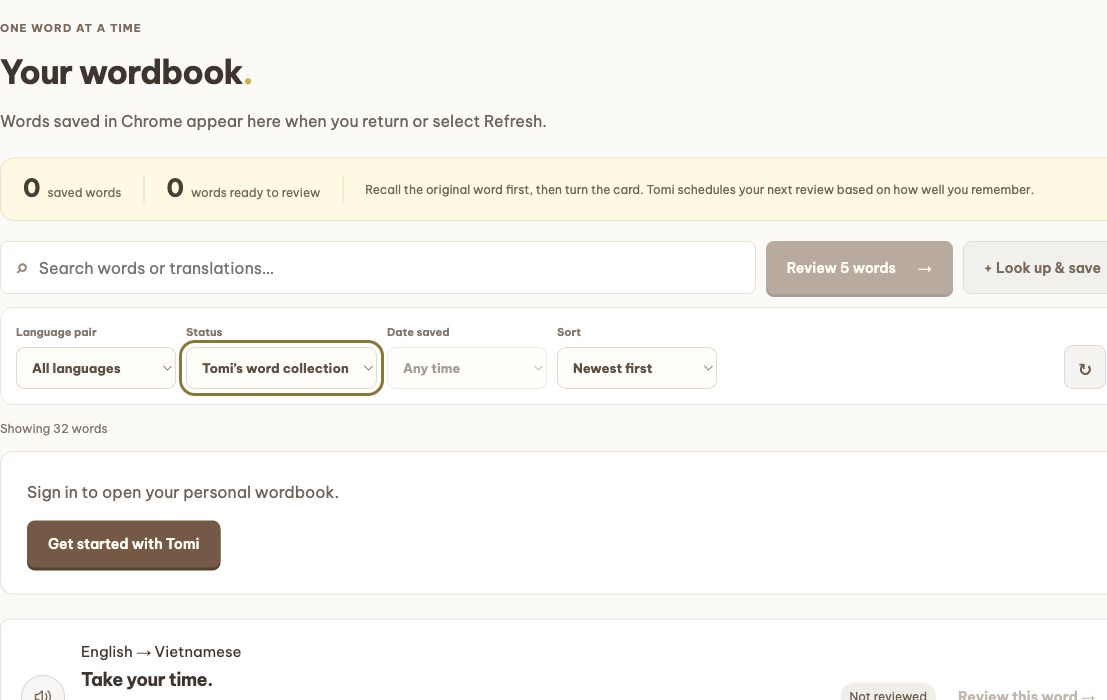
Open Your wordbook on the website with the same account. Search, filter by language pair or status, and start a review of saved words. Try to say the original word from its meaning before revealing the card.
After revealing it, listen and rate your recall honestly. ThomLingo uses that rating to schedule another encounter. A familiar-looking answer is not the same as being able to produce the word yourself.
Enlarge the annotated screenshot
On a small screen, swipe the image sideways to see every detail.
Guest view of the current wordbook with Tomi’s public sample collection. Sign in to review and keep your own progress.
- Search for a word or its meaning.
- Filter the collection; choose Your saved words for your own entries.
- The Review button opens a short review when you are signed in.
4. Make it a five-minute habit
Try this routine: read for three minutes, save up to three genuinely useful words, then spend two minutes recalling yesterday’s words. The exact number matters less than coming back.
Use one saved phrase in a sentence about your own day. “Take your time” becomes easier to reach for when it belongs to a real moment, not just a list.
Try it while you are curious.
Try looking up a word →